Open the Registration Page
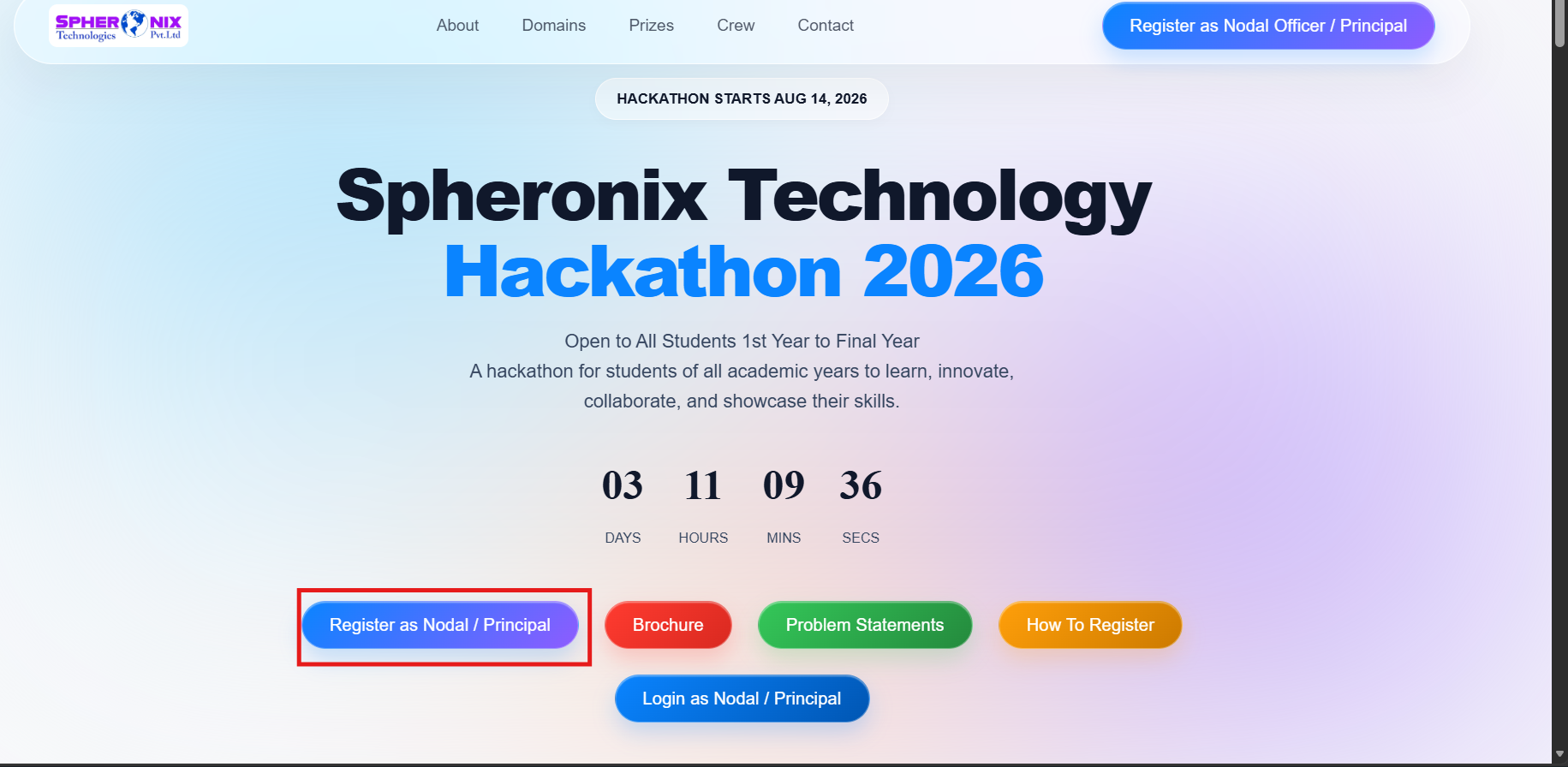
On the Hackathon home page, click “Register as Nodal / Principal”.
Enter Institution Details
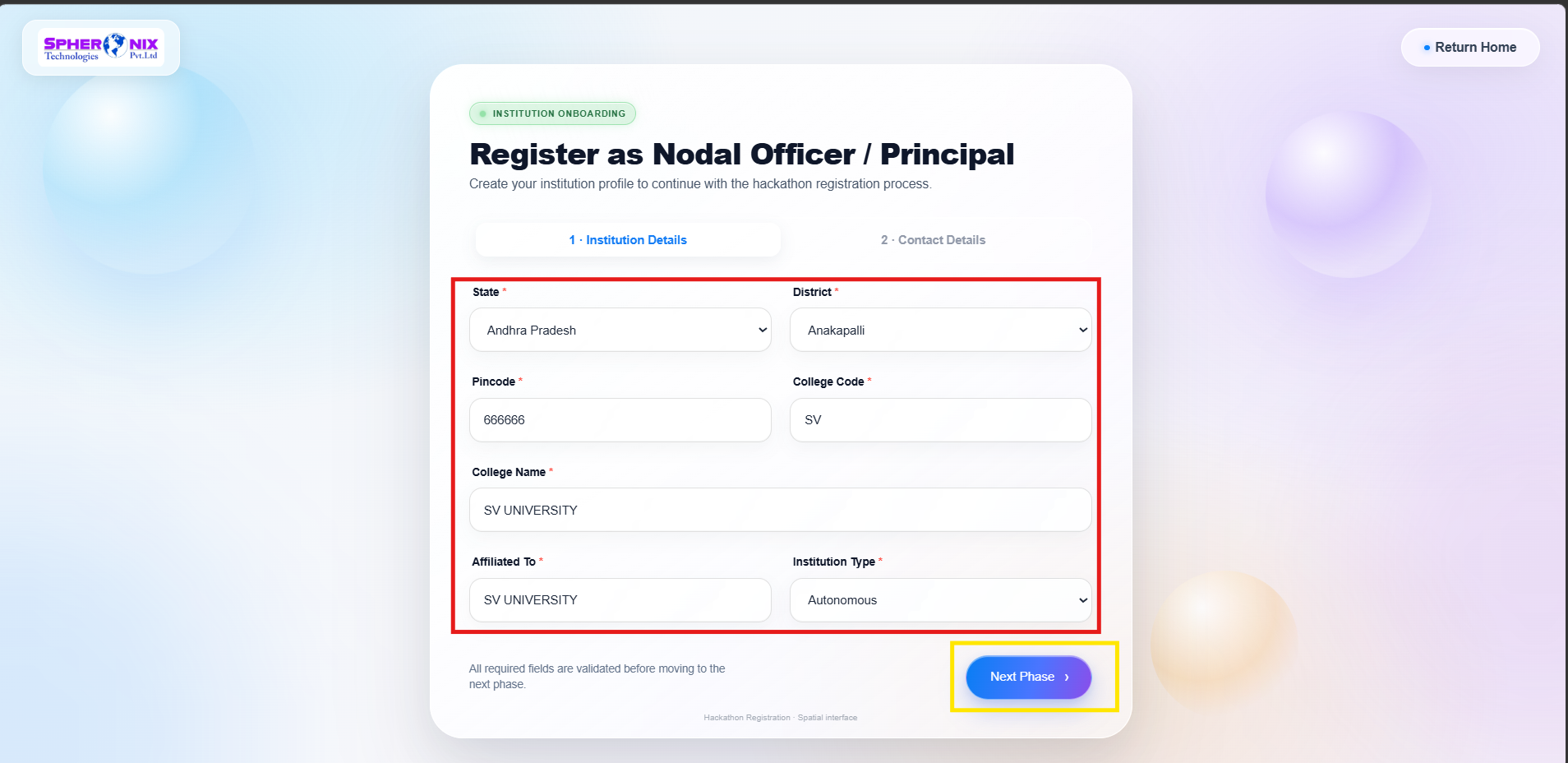
Fill in all required institution details, including:
- State
- District
- Pincode
- College Code
- College Name
- Affiliated To
- Institution Type
After entering all the required information, click “Next Phase”.
Enter Principal & Nodal Officer Details
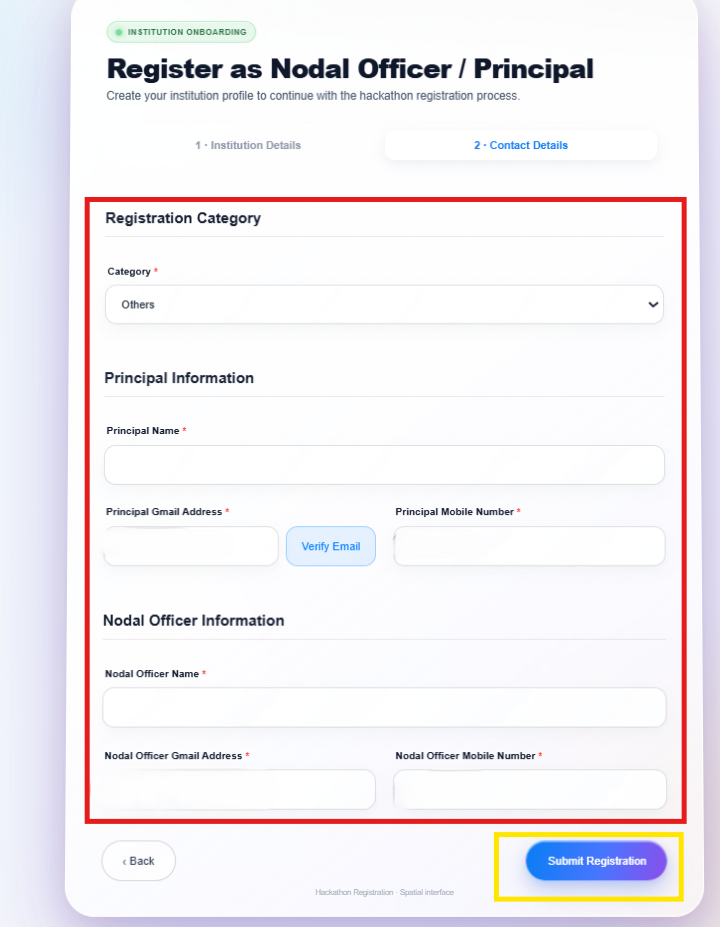
Select the appropriate Registration Category and provide:
- Principal Name
- Principal Gmail Address
- Principal Mobile Number
- Nodal Officer Name
- Nodal Officer Gmail Address
- Nodal Officer Mobile Number
Verify the Principal's email address if required, then click “Submit Registration”.
Registration Confirmation
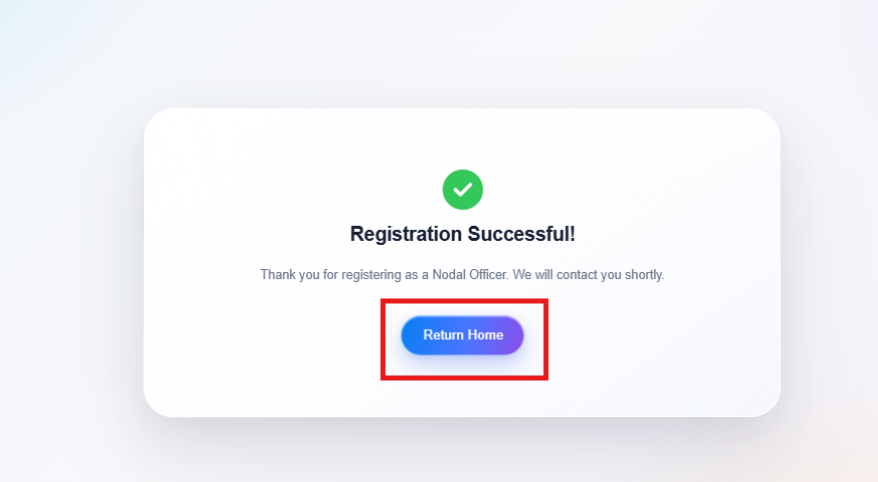
After successful submission, a “Registration Successful” message will be displayed. Return to the home page using “Return Home”.
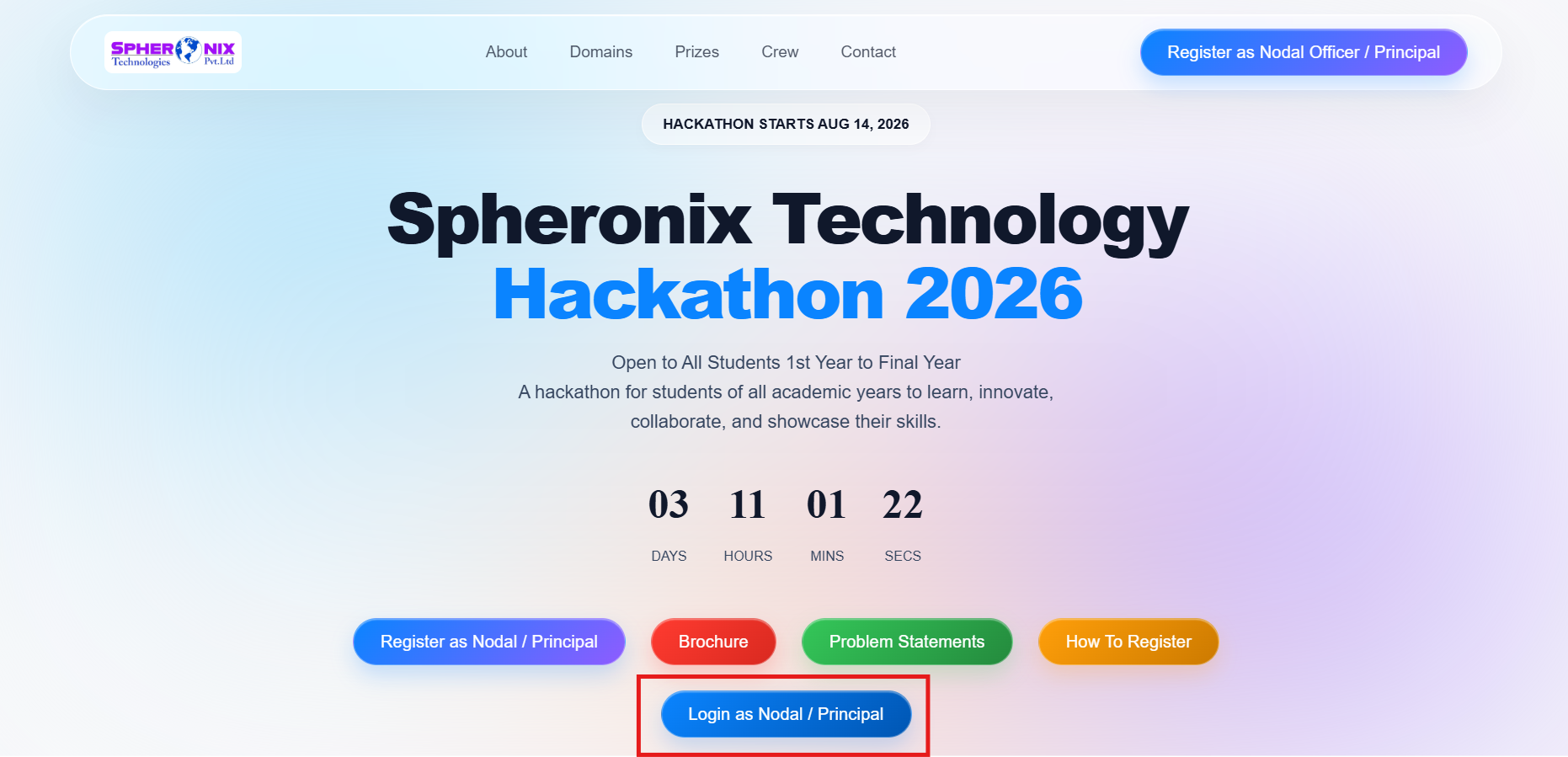
Login to the Dashboard
From the home page, click “Login as Nodal / Principal”.
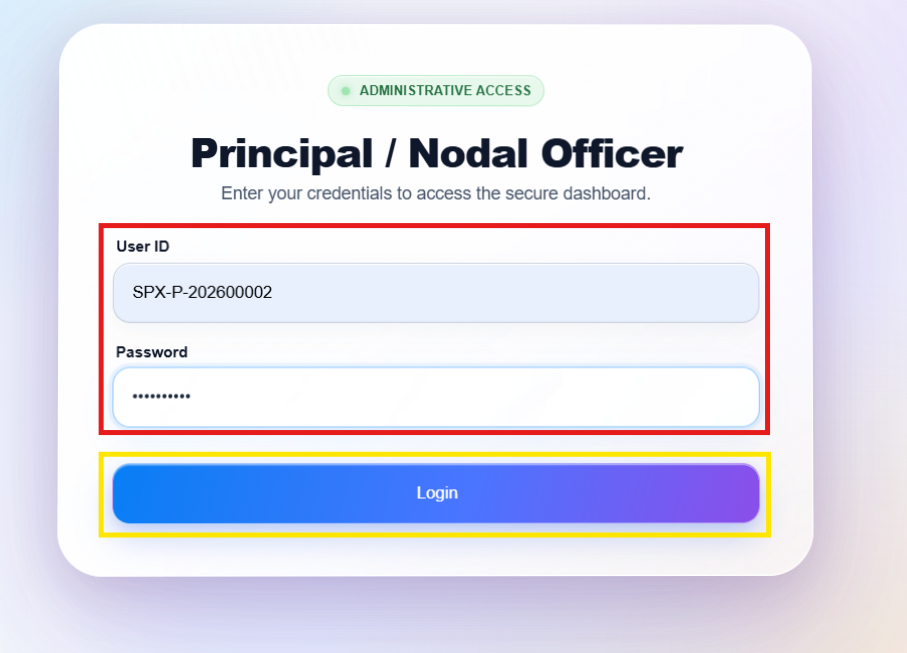
Enter your:
- User ID
- Password
Then click “Login”.
Login with credentials
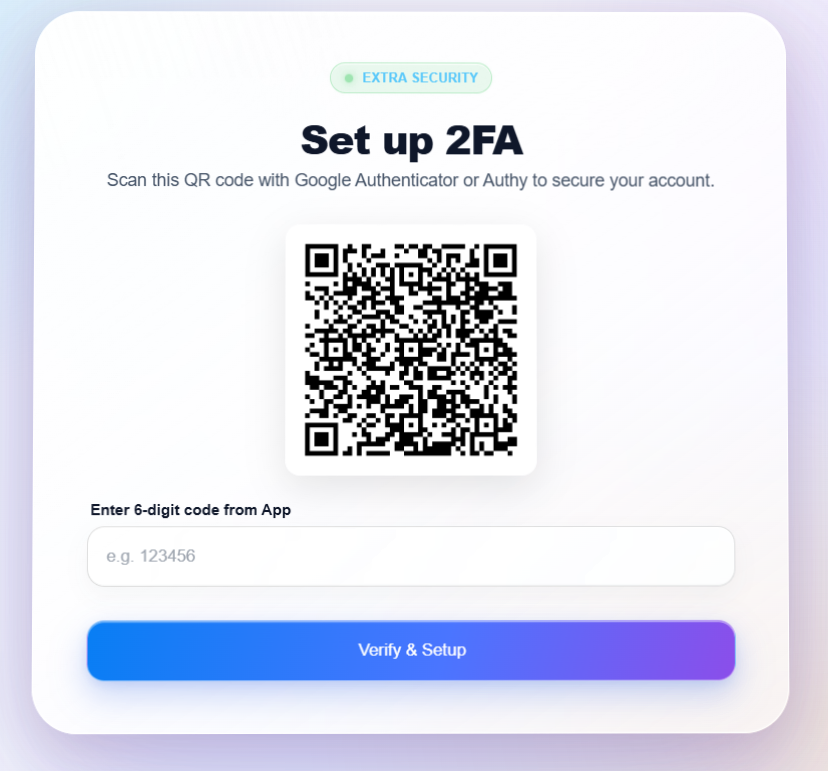
For enhanced account security:
- Loign with admin given credentials
- User ID
- Password
Complete 2FA Verification
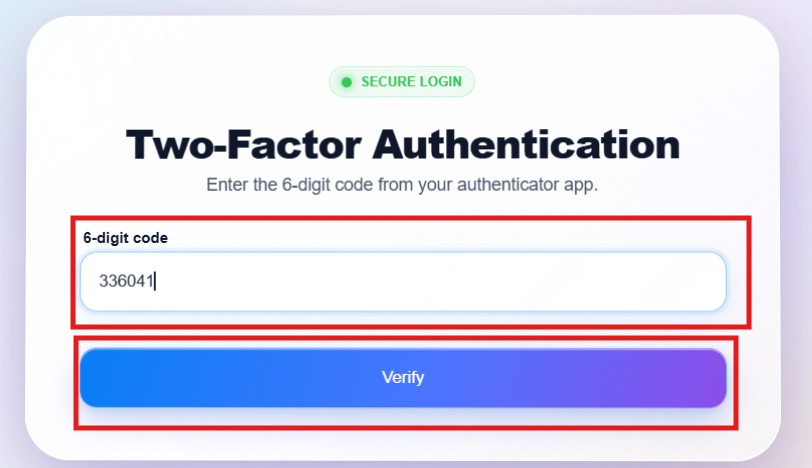
On subsequent login, enter the 6-digit code generated by your authenticator app and click “Verify” to access the dashboard.
Enter otp from 2FA Verification(authenticator)
In the dashboard:
- It diplay 6 digits code .
- Copy the code 6 digit code paste the code in input field.
- After enter the code click on verify.
Review Student Data
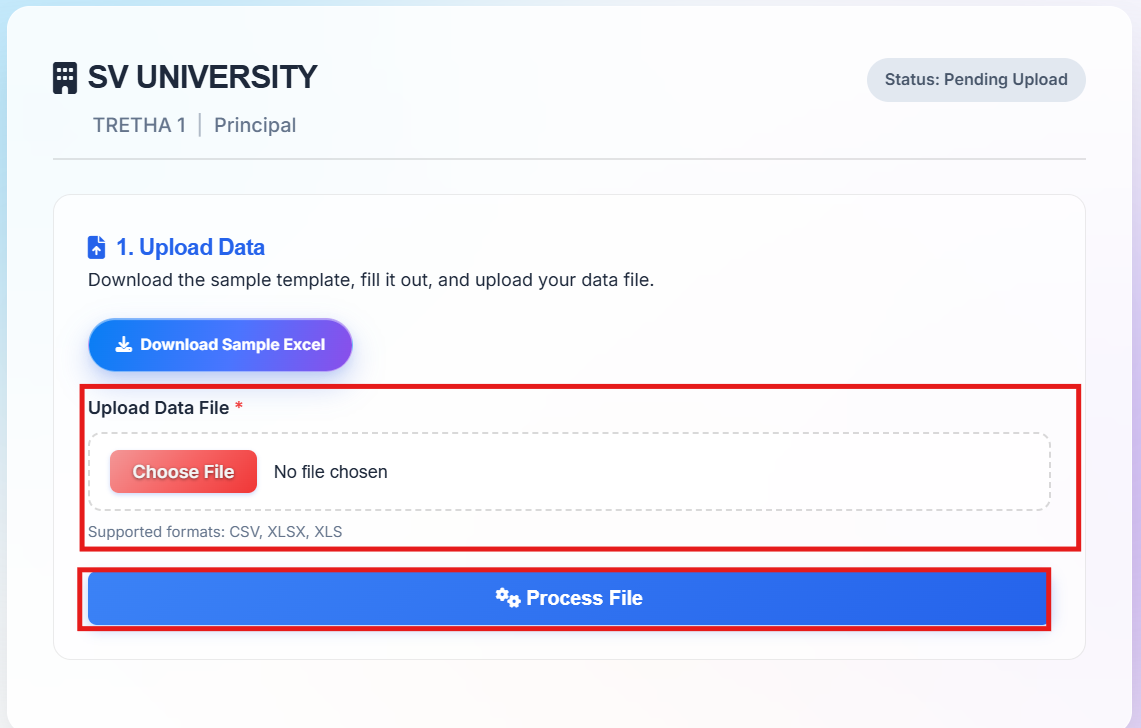
As the Nodal Officer, you must upload all your students at once.
- Download the Sample Excel template.
- Enter the details of ALL participating students.
- Save the file in CSV, XLSX, or XLS format.
- Upload the completed file under “Upload Data File”.
- Click “Process File” and review the uploaded student details carefully.
Important: You are responsible for ensuring the accuracy of the student data before submitting.
Complete Fee Payment
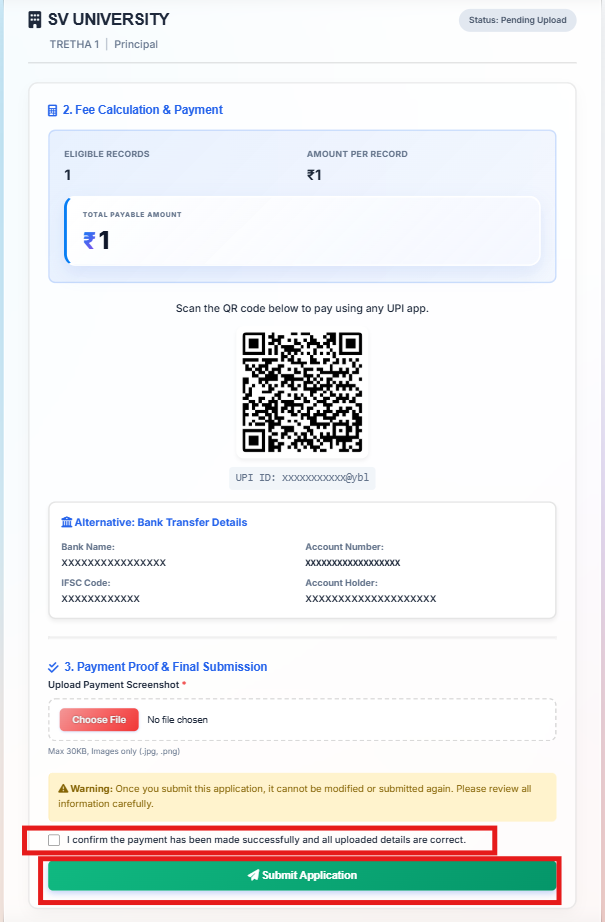
As the Nodal Officer, you must collect the fees from your students and make a consolidated payment.
- The system will automatically calculate the total amount (e.g., 10 students * 399 = ₹3990).
- Choose your preferred payment method (QR Code or Bank Transfer).
- Make the total consolidated payment from your account or the institution's account.
Upload Payment Proof
After completing the payment:
- Upload the payment screenshot under “Payment Proof & Final Submission”.
- Review all uploaded information carefully.
- Tick the confirmation checkbox stating that the payment has been made successfully and the uploaded details are correct.
- Click “Submit Application”.
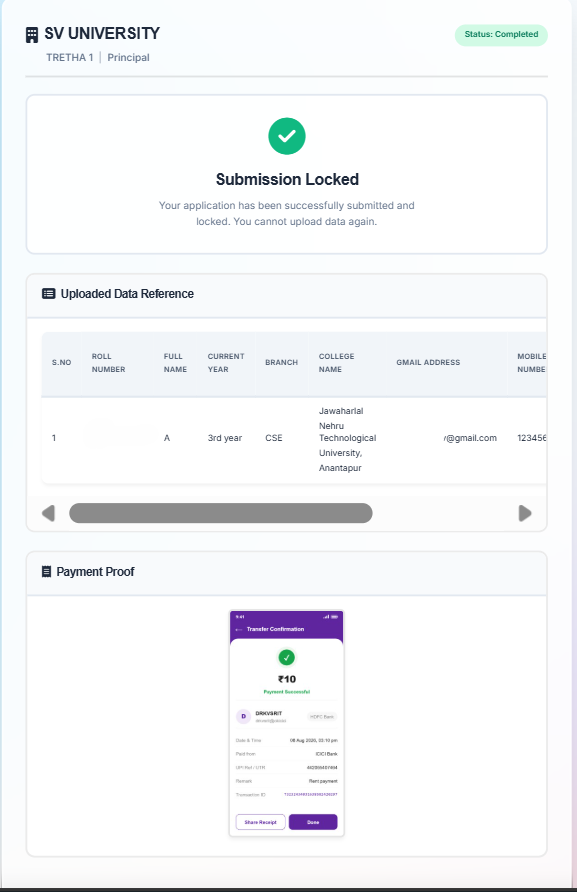
Submission Locked
Once the application is submitted successfully, the application will be locked and cannot be modified.
Important: Please verify all institution details, student data, and payment information carefully before clicking “Submit Application.”